
How to Choose Right VPN Setup for Your Business
A reliable VPN setup can help businesses protect remote connections, support flexible working and give employees secure access to company systems. However, choosing a VPN is not simply about selecting the cheapest provider or the one with the most features.
The right solution depends on your business size, number of users, devices, applications, network design and security requirements. A small office with a few remote workers may need a very different VPN setup from a business with multiple locations and staff accessing cloud systems every day.
Before choosing a VPN, it is important to understand how your team works and what your VPN setup needs to protect.
What Is a Business VPN?
A business VPN creates a secure connection between authorised users, devices and business networks. It encrypts data travelling between connected points, helping reduce the risk of information being intercepted when employees access company resources remotely.
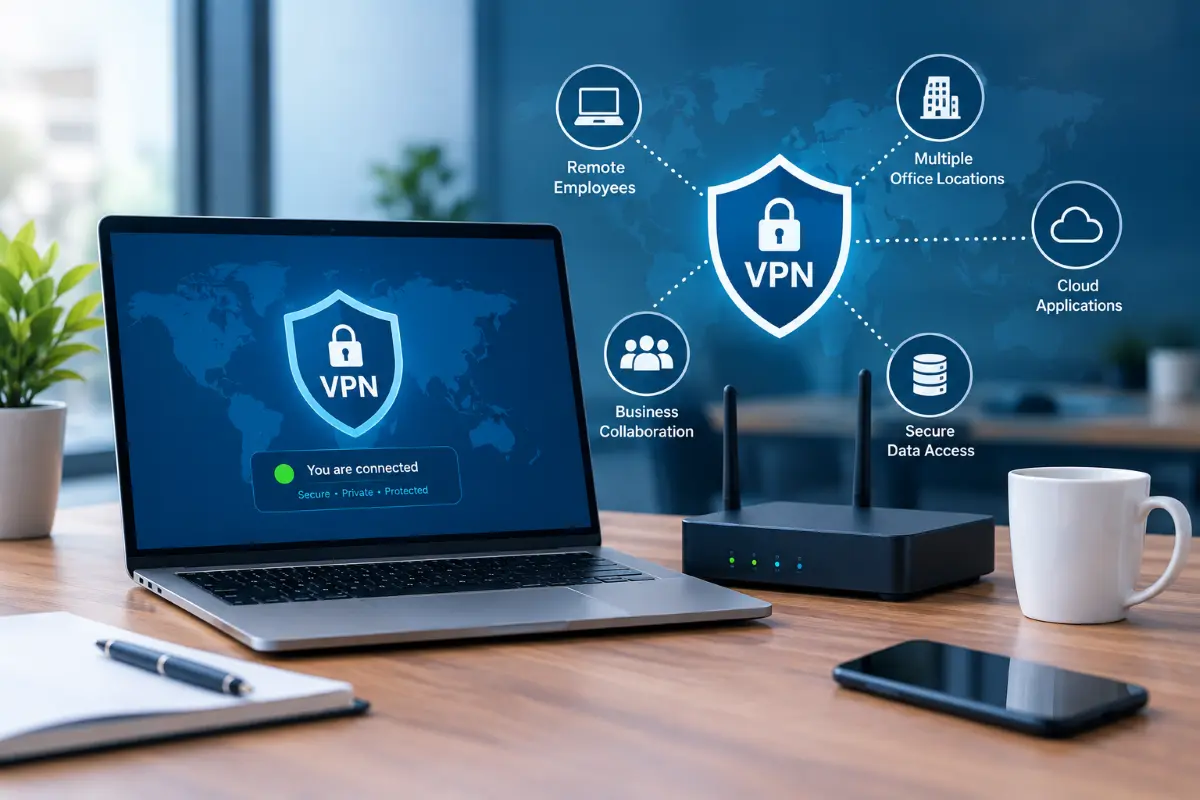
Businesses commonly use VPNs when employees work from home, travel for work or need access to internal systems outside the office. A VPN can also connect separate business locations so users can communicate with resources across different networks.
However, a VPN is only one part of a wider security strategy. Strong passwords, multi-factor authentication, endpoint protection, firewalls, software updates and appropriate access controls are still important.
For businesses reviewing their wider cyber security best practices, VPN access should be considered as part of the overall security environment rather than as a standalone solution.
Why Do Businesses Use VPNs?
A well-planned VPN setup can support several common business requirements.
- Secure Remote Access – Employees can securely connect to approved business resources while working outside the office. This can be useful for staff who need access to internal applications, files, servers or other systems.
- Connecting Multiple Locations – Businesses with offices in different locations can use VPN technology to connect networks securely. This can make it easier for authorised users to access shared resources across sites.
- Protecting Data in Transit – Encryption helps protect information while it travels between a user’s device and the business network. This is particularly useful when employees connect from networks outside the office.
- Supporting Flexible Working – Hybrid and remote work have made secure access more important for many businesses. A suitable VPN can give employees controlled access without exposing internal systems directly to the public internet.
Which Type of VPN Does Your Business Need?
Choosing the right VPN setup starts with understanding how your employees and locations need to connect.
Remote Access VPN
A remote access VPN allows individual users to connect to business resources from approved devices.
This setup can work well for employees working from home, travelling staff and businesses with a flexible working model.
Access should be limited according to each user’s role. Employees do not necessarily need access to every system on the network.
Site-to-Site VPN
A site-to-site VPN connects two or more business networks. It can be useful when offices, warehouses or other locations need to communicate securely.
This type of connection is generally managed at the network level rather than requiring each employee to establish a separate VPN connection.
Businesses with more complex network requirements may also need suitable server and network solutions to support reliable connectivity between locations.
Cloud-Based Access
Many businesses now rely heavily on Microsoft 365, cloud applications, hosted platforms and other online services.
In these environments, sending every connection through a traditional office VPN may not always be the most efficient approach. The network design should consider which applications employees use and where those applications are hosted.
7 Things to Consider Before Choosing a VPN
1. Number of Users
Start by determining how many people will need VPN access.
Consider both current users and expected growth. A solution that works for five employees may become difficult to manage when the business reaches 30, 50 or 100 users.
Also consider whether contractors, temporary staff or external partners require limited access.
2. What Does Each User Need to Access?
Not every employee needs access to the same resources.
For example, an administrator may need access to internal servers, while another employee may only need a specific application.
Define the systems, folders, servers and applications that each group needs before configuring the VPN. This supports a more controlled access model and reduces unnecessary exposure.
3. Security and Authentication
Security should be one of the main considerations when selecting a VPN.
Look for features such as:
- Multi-factor authentication
- Strong encryption
- User access controls
- Secure authentication methods
- Device verification
- Logging and monitoring
- Automatic security updates
- Centralised administration
A VPN should also work alongside your firewall and endpoint security rather than replacing them. Modern firewall features can provide additional controls around traffic, applications and network access.
4. Business Devices
Consider the devices employees use every day.
Your VPN may need to support Windows computers, Macs, laptops, tablets or mobile devices. If staff use different operating systems, check that the VPN provides consistent security and management across those platforms.
You should also decide whether personally owned devices will be permitted.
5. Internet Speed and Network Performance
Security should not come at the expense of everyday productivity.
VPN encryption and routing can affect network performance, particularly when many employees connect at the same time. Your internet connection, firewall hardware, VPN capacity and office network all need to work together.
If users regularly transfer large files or access systems hosted at the office, performance becomes even more important.
6. Split Tunnelling
Split tunnelling allows some traffic to use the VPN while other traffic goes directly to the internet.
This can reduce unnecessary traffic through the business network, but it needs careful configuration.
If sensitive business traffic requires central security inspection, sending that traffic outside the VPN may create additional risks. The decision should therefore be based on your applications, security requirements and network design.
7. Ongoing Management
A VPN is not a set-and-forget solution.
User accounts need to be added and removed, permissions reviewed, software updated and security settings monitored.
When an employee leaves the business, VPN access should be removed promptly. When responsibilities change, their permissions should also be reviewed.
For businesses that do not have dedicated internal IT resources, managed IT services can help with ongoing monitoring, maintenance and technical support.
VPN Firewall vs Software VPN
Businesses can implement VPN access in different ways, depending on their network and security requirements.
A firewall-based VPN can provide centralised control over remote connections and network traffic. This can be useful for businesses that already have a suitable firewall in place. A properly planned VPN setup can help ensure remote access is configured securely across the network.
A software-based VPN may be installed on individual devices and managed through a central platform. This can be suitable for businesses with remote workers who need secure access from different locations.
The right approach depends on your network architecture, number of users and security requirements. In some environments, a combination of firewall-based and device-based controls may be appropriate.
The important point is to choose a VPN setup that works with your existing network and security infrastructure rather than selecting a VPN simply because it is popular.
What VPN Security Features Should You Look For?
A business VPN should provide more than basic encrypted connectivity.
Important features may include:
- Multi-factor authentication
- Strong encryption
- User and group-based access
- Centralised management
- Connection monitoring
- Detailed logging
- Device compatibility
- Automatic updates
- Access restrictions
- Integration with existing security controls
You should also consider how quickly administrators can disable access when a device is lost or an employee leaves.
Businesses handling sensitive customer or financial information should take a broader approach to security. VPN access should work alongside endpoint protection, email security, backups, firewalls and other controls designed to reduce cyber risks.
How to Plan Your VPN Implementation
A successful VPN setup starts with planning rather than installation. Before configuring the connection, review your users, devices, applications and existing network.
- Identify Users: List the employees, contractors and other authorised users who require remote access.
- Identify Resources: Determine which systems, applications and files each user group needs to access.
- Review Your Network: Check your existing internet connection, firewall, routers, servers and internal network.
- Select the VPN Approach: Choose between remote access, site-to-site or another suitable model based on your business requirements.
- Configure Security: Set up authentication, permissions, encryption, device policies and monitoring.
- Test Before Rollout: Test the connection with a small group of users before making it available to everyone. Check login reliability, application access, performance and security controls.
- Monitor and Review: After deployment, monitor the VPN and review user access regularly. Changes in staff numbers, applications, office locations and working arrangements may require configuration updates.
Common VPN Mistakes Businesses Make
Choosing a VPN without understanding the business requirement can create unnecessary problems.
One common mistake is giving every user broad network access. Another is failing to remove VPN access when employees leave.
Businesses may also overlook device security. A secure VPN connection does not automatically make an infected or poorly protected laptop safe.
Poor configuration can create additional problems too. Weak authentication, outdated software, excessive permissions and limited monitoring can reduce the protection a VPN is intended to provide.
Businesses should also avoid treating VPN technology as a complete answer to ransomware. Regular backups, endpoint security, access controls and employee awareness remain important when working to protect my business from ransomware.
Does Every Business Need a VPN?
Not necessarily.
The need for a VPN depends on how your business operates and how employees access systems.
A business with only cloud-based applications may have different requirements from a company that hosts files, applications and servers inside its office.
Similarly, a business with no remote workers may have less need for remote access VPNs, while a hybrid workforce may rely heavily on secure remote connections.
The right question is not simply whether your business needs a VPN. It is whether your current access method provides the security, control and performance your business requires.
VPN and Cyber Security
A VPN can improve the security of remote connections, but it should form part of a wider security framework.
Businesses should consider:
- Multi-factor authentication
- Endpoint protection
- Secure passwords
- Firewall protection
- Regular software updates
- Data backups
- User permissions
- Security monitoring
- Employee awareness
Security controls should also be reviewed as the business changes.
If your organisation needs to strengthen multiple areas of its technology environment, broader security solutions can help address network, endpoint and access requirements together.
VPN and Cloud Applications
Cloud applications have changed the way businesses use networks.
Employees may access Microsoft 365, cloud storage, accounting platforms, CRM systems and other applications without connecting to an office server.
In these situations, forcing all internet traffic through a traditional VPN may not always provide the best experience.
Instead, businesses should consider which applications need private network access and which can be securely accessed directly through their cloud provider.
The goal is to create a network that provides appropriate security without introducing unnecessary complexity or performance problems.
Businesses moving more systems to hosted platforms may also benefit from suitable cloud solutions that align with their security and access requirements.
How Much Does a Business VPN Cost?
The cost of a business VPN depends on the solution and the size of the organisation.
Costs may include:
- VPN software or licensing
- Firewall hardware
- User licences
- Setup and configuration
- Multi-factor authentication
- Monitoring and management
- Ongoing support
- Network upgrades
A low-cost VPN may appear attractive initially, but businesses should also consider management, reliability and security requirements.
The cheapest option is not always suitable if it creates performance issues or requires significant manual administration.
VPN vs Direct Remote Access
Some businesses may consider exposing remote services directly to the internet instead of using a VPN.
This approach can introduce additional security considerations. Remote services should never be exposed without appropriate authentication, access controls, monitoring and protection.
A properly configured VPN can provide a controlled gateway for authorised users instead of exposing internal services directly.
The correct architecture depends on the systems involved, but remote access should always be designed with security in mind.
When Should You Review Your VPN?
Your VPN setup should be reviewed when your business changes.
Consider reviewing it when:
- Your employee numbers increase
- You introduce hybrid work
- You open another office
- You move applications to the cloud
- Your network infrastructure changes
- New devices are introduced
- Security requirements change
- Employees change roles
- A security incident occurs
Regular reviews can help identify outdated accounts, unnecessary permissions and configuration issues before they become larger problems.
Frequently Asked Questions
1). How to set up a VPN for a business?
Start by identifying users, applications, devices and network resources that require secure access. Then select the appropriate VPN type, configure authentication and permissions, test the connection and monitor it after deployment.
2). What is the best VPN for a small business?
There is no single VPN that suits every small business. The right choice depends on the number of users, devices, applications, network setup, security requirements and available IT support.
3). Should I use a VPN for my business?
A VPN can be useful when employees need secure access to business networks or internal systems remotely. Whether you need one depends on how your business applications and network are structured.
4). What is the best VPN for my company?
The suitable solution depends on your business requirements rather than the VPN brand alone. Consider user numbers, access requirements, security features, performance, device support and ongoing management.
5). Can a VPN replace other cyber security measures?
No. A VPN protects the connection between authorised users and systems, but businesses still need other controls such as multi-factor authentication, endpoint security, firewalls, backups, access management and regular security updates.
Final Thoughts
Choosing the right VPN setup starts with understanding how your business works. Consider who needs access, what they need to access, which devices they use and how your existing network is structured.
A properly planned VPN can support secure remote work, protect business connections and provide controlled access to internal resources. However, it should always work alongside your wider network and security controls.
If you need help planning, configuring or maintaining a business VPN, professional IT support Guy can help you choose an approach that fits your users, network and security requirements.